Contact us : contact@digitechgenai.com



Introduction: Why Everyone Is Talking About GitHub Copilot
In today’s fast-moving software world, developers are expected to write clean code faster, fix bugs quickly, and deliver features without delay. Startups, in particular, face pressure to build MVPs quickly with small teams and limited budgets.
This is where GitHub Copilot comes into the picture.
GitHub Copilot is not just another coding tool—it is an AI-powered coding assistant that works alongside developers, helping them write better code in less time. Whether you are a student learning programming, a working professional, or a startup founder managing a tech team, understanding the uses and benefits of GitHub Copilot can give you a serious advantage.
In this blog, you’ll learn:
- What GitHub Copilot is and how it works
- Practical uses of GitHub Copilot
- Benefits for learners and startups
- Real-world examples
- Common mistakes to avoid
What is GitHub Copilot?
GitHub Copilot is an AI coding assistant developed by GitHub and OpenAI. It suggests code in real time as you type, directly inside your code editor.

It is trained on:
- Public code repositories
- Programming documentation
- Common coding patterns
Copilot supports popular editors like:
- Visual Studio Code
- JetBrains IDEs
- Neovim
And it works with multiple languages including:
- Java, Python, JavaScript
- TypeScript, Go, C++, C#
- React, Angular, Spring Boot, and more
Think of GitHub Copilot as a smart pair programmer who never gets tired.
How GitHub Copilot Works (Simple Explanation)
GitHub Copilot uses advanced machine learning and large language models (LLMs) trained on public repositories and programming documentation.
It analyzes:
- Your current file
- Surrounding code
- Comments you write
Based on this context, Copilot predicts what code you are likely to write next and suggests it instantly.
For example, writing a comment like “create REST API to fetch user by id” can trigger Copilot to generate controller, service, and repository code automatically.
Example:
If you write:
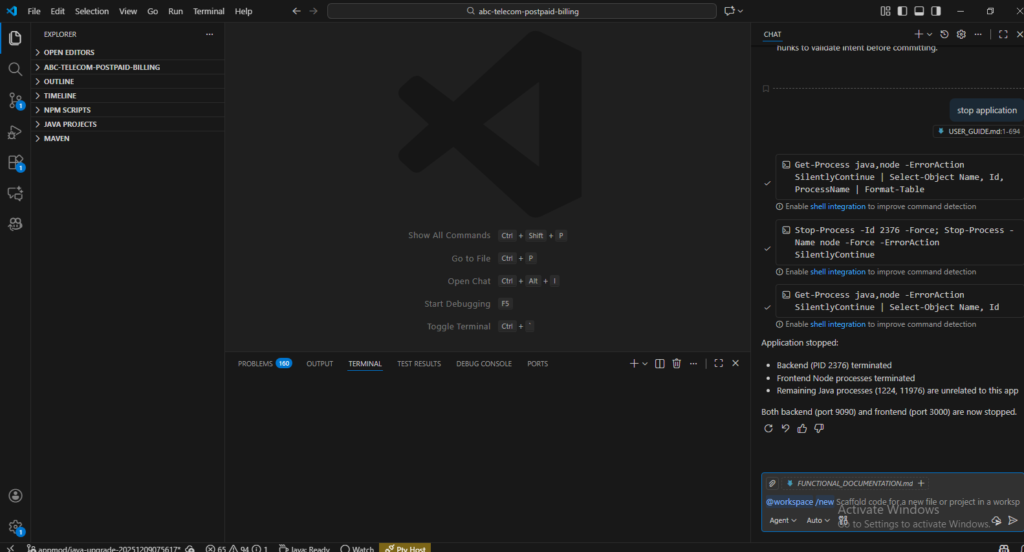
// create a REST API to fetch users by id
Copilot may automatically suggest:
- Controller code
- Service method
- Repository query
This saves time and mental effort, especially during repetitive tasks.
Key Uses of GitHub Copilot
1. Faster Code Writing
Copilot auto-completes:
- Functions
- Loops
- Conditions
- API calls
This helps developers focus more on logic and design, not syntax.
2. Learning New Languages & Frameworks
For beginners, Copilot acts like a real-time tutor:
- Shows best practices
- Helps understand unfamiliar syntax
- Speeds up learning
This is extremely useful for:
- Students
- Career switchers
- Junior developers
3. Writing Unit Tests
Copilot can generate:
- JUnit test cases
- Mock data
- Edge-case scenarios
This improves test coverage and code quality.
4. Refactoring & Code Optimization
Copilot suggests:
- Cleaner code
- Performance improvements
- Modern syntax replacements
Helpful for legacy projects and refactoring tasks.
5. Documentation & Comments
Copilot can:
- Generate function documentation
- Write meaningful comments
- Create README snippets
This is valuable for teams and open-source projects.
Benefits of GitHub Copilot for Developers
Increased Productivity
Developers report 30–50% faster coding speed when using Copilot for routine tasks.
Reduced Mental Load
No need to remember every syntax detail—Copilot helps you stay in flow.
Better Code Quality
With suggestions based on common best practices, Copilot helps reduce:
- Bugs
- Boilerplate errors
Confidence Booster for Beginners
New developers feel more confident while coding, reducing frustration and burnout.
Benefits of GitHub Copilot for Startups
Faster MVP Development
Startups can:
- Build MVPs quickly
- Validate ideas faster
- Reach market sooner
Smaller Teams, Bigger Output
Copilot allows small teams to:
- Deliver more features
- Reduce dependency on large teams
Cost Optimization
Less time spent on development means:
- Lower engineering costs
- Faster ROI
Consistent Coding Standards
Copilot helps maintain consistent code style across teams.
Real-World Use Cases
Startup Scenario
A fintech startup using Spring Boot + React:
- Copilot auto-generates REST APIs
- Suggests React components
- Writes unit tests
Result: 40% reduction in development time
Learning Scenario
A student learning Python:
- Writes comments
- Copilot generates logic
- Student understands patterns faster
Common Mistakes to Avoid When Using GitHub Copilot
- Blindly accepting suggestions
- Ignoring security concerns
- Over-dependency without understanding code
- Using it without code reviews
Copilot is an assistant, not a replacement for thinking.
Best Practices for Using GitHub Copilot
- Always review generated code
- Use meaningful comments
- Combine Copilot with code reviews
- Follow security guidelines
- Use it as a learning tool
Tools & Technologies That Work Well with Copilot
- Visual Studio Code
- Spring Boot & Microservices
- React / Angular
- Docker & Kubernetes
- GitHub Actions
Conclusion
GitHub Copilot is transforming the way developers write code and startups build products. By acting as an intelligent coding assistant, it helps save time, reduce errors, and improve learning.
For learners, it accelerates skill development.
For startups, it enables faster delivery and cost efficiency.
When used wisely, GitHub Copilot becomes a powerful productivity partner in modern software development.
Want to learn more about AI, programming, and startup technology? Explore more practical guides on Digitechgenai.com.
Read more related blogs: latest update