Contact us : contact@digitechgenai.com


If you work with APIs, databases, or any modern web application, you know how frustrating it is to stare at a wall of unformatted JSON. One missing comma, one extra bracket, and your entire application breaks. That’s exactly why we built the Free Online JSON Formatter — a completely free, fast, and powerful set of JSON utilities right in your browser. No signup.
No installation. No backend. Just paste your JSON and go

What is JSON and why does formatting matter?
JSON (JavaScript Object Notation) is the most widely used data format for APIs and web services. It is lightweight, human-readable, and language-independent. But when JSON is returned raw from an API or minified for production, it looks like this:
{"name":"John","age":30,"city":"Delhi","skills":["Java","Spring Boot","REST API"]}That’s nearly impossible to read, debug, or share. A properly formatted JSON looks like this:
{ "name": "John", "age": 30, "city": "Delhi", "skills": ["Java", "Spring Boot", "REST API"] }What Does Our Free JSON Tool Suite Offer?
Our tool is available at digitechgenai.com/tools and includes four powerful utilities:
1. JSON Formatter & Beautifier
Paste any raw or minified JSON and instantly transform it into clean, readable, indented output. Our formatter supports 2-space, 4-space, and tab indentation. This is the most popular developer tool for debugging API responses, reading config files, and sharing data with your team.
- Works with deeply nested JSON objects
- Supports arrays of objects
- Instant results — no page reload
2. JSON Validator
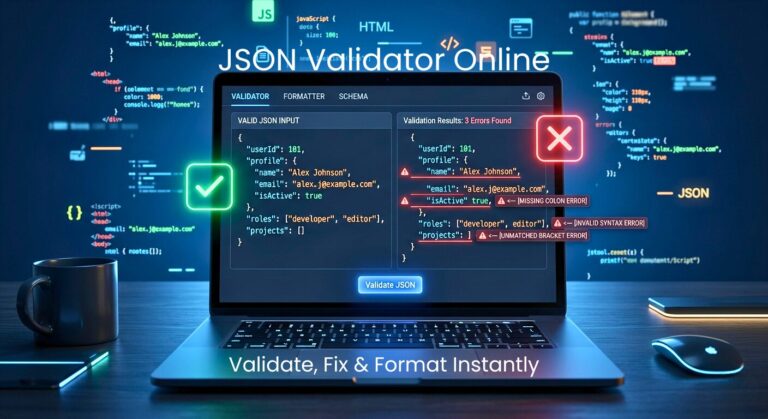
Is your JSON valid? Our validator instantly checks your JSON syntax and tells you exactly where the error is if one exists. This saves hours of debugging time, especially when working with large API payloads or configuration files.
- Real-time error detection with line numbers
- Shows exact error message from the parser
- Works offline in your browser — nothing sent to server
3. JSON Minifier
Need to reduce your JSON payload size for production? Our minifier removes all whitespace, indentation, and line breaks to give you the smallest possible JSON string. This improves API response times and reduces bandwidth costs.
- Reduces file size by up to 30–40%
- Perfect for production API optimization
- One-click copy to clipboard
4. JSON to CSV Converter
Converting JSON data to CSV format is one of the most common tasks for data analysts, backend developers, and business teams. Our converter handles JSON arrays of objects and produces clean, properly escaped CSV output you can open directly in Excel or Google Sheets.
- Handles nested values, commas in strings, and special characters
- Direct download as .csv file
- Compatible with Excel, Google Sheets, LibreOffice
Why Use Digitech GenAI JSON Tools?
There are dozens of JSON tools online. Here’s what makes ours different:
- 100% Free — no hidden costs, no premium tier for basic features
- Privacy First — all processing happens in your browser; your data never leaves your machine
- No Signup Required — open the page, paste your JSON, done
- Mobile-Friendly — works perfectly on phones and tablets
- Lightning Fast — no server round-trips, instant results
- Built by Developers for Developers — we know exactly what you need
Who Is This Tool For?
Our JSON tools are perfect for:
- Backend developers working with REST APIs and Spring Boot, Node.js, Django
- Frontend developers debugging API responses in React, Angular, Vue
- QA testers validating API payloads
- Data analysts converting JSON exports to CSV for reporting
- Students learning about JSON structure and syntax
- DevOps engineers working with Kubernetes, Docker, CI/CD config files
How to Use the JSON Formatter — Step by Step
- Go to digitechgenai.com/tools
- Click on the ‘Formatter’ tab (it is the default)
- Paste your raw or minified JSON into the left box
- Click the ‘Format’ button
- Your beautified JSON appears instantly on the right
- Click ‘Copy’ to copy to clipboard or ‘Download’ to save as a file
Coming Soon: AI-Powered JSON Schema Generator
We are building something truly exciting – an AI-powered JSON Schema Generator that lets you describe your data in plain English and instantly generates a fully valid JSON Schema for you.
Just type ‘Create a JSON schema for a customer order with name, price, date and item list’ and get a production-ready schema in seconds.
This is the next generation of developer tooling, and we are bringing it to you first, completely free.
Frequently Asked Questions (FAQ)
Is this JSON formatter free?
Yes, 100% free. No signup, no credit card, no premium tier. All four tools are completely free to use.
Is my JSON data safe?
Absolutely. All JSON processing happens entirely in your browser using JavaScript. Your data is never sent to our servers, never stored, and never shared. It is completely private.
What is the difference between formatting and validating JSON?
Formatting makes JSON readable by adding indentation and line breaks. Validating checks if the JSON syntax is correct. You should always validate first, then format. Our tool does both.
Can I use this tool on mobile?
Yes! Our tool is fully responsive.
Yes! Our tool is fully responsive and works perfectly on all mobile devices and tablets.
Try It Now — Free JSON Tools by Digitech GenAI
Stop wasting time manually reading messy JSON. Our free tool suite handles formatting, validation, minification, and CSV conversion in seconds.
👉 Try the Free JSON Tools at digitechgenai.com/tools
Bookmark it, share it with your team, and let us know what features you would like to see next in the comments below!