Contact us : contact@digitechgenai.com

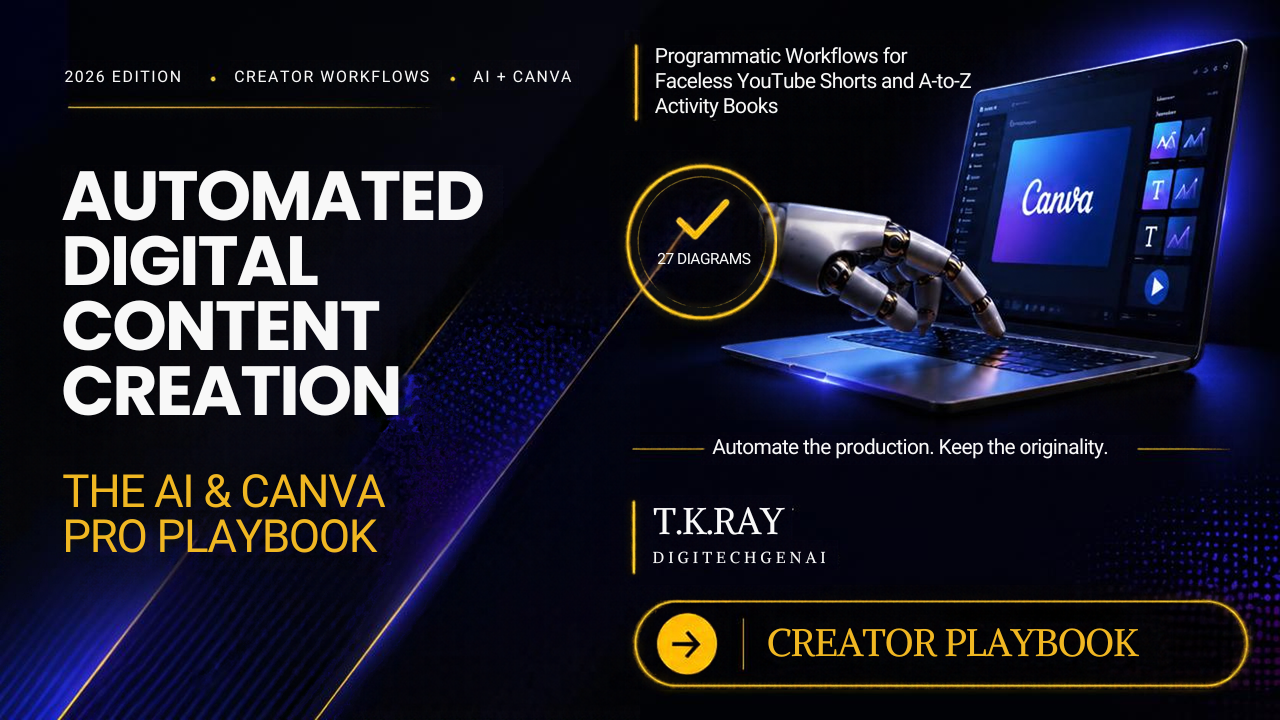

Automated Digital Content Creation: The AI & Canva Pro Playbook (2026) — Create Smarter, Publish Faster
Discover how to combine AI tools and Canva Pro to plan, create, design, and publish digital content with a more efficient workflow.
Are you spending hours creating social media posts, designing ebooks, preparing marketing materials, or producing content for your business?
You are not alone.
Content creators, freelancers, digital entrepreneurs, coaches, and small business owners face the same challenge: producing consistent, engaging content while managing limited time and resources.
Artificial intelligence (AI) is changing how digital content is created. When combined with the design capabilities of Canva Pro, AI can help simplify brainstorming, content planning, writing, visual design, and content repurposing.
But having access to powerful tools is only part of the solution. Knowing how to combine them into a practical, repeatable workflow makes the difference.
That is exactly what Automated Digital Content Creation: The AI & Canva Pro Playbook (2026) aims to help you explore.
If you want to improve your content creation workflow, develop digital products, or build a more organized content strategy, this practical playbook is worth exploring.
What Is Automated Digital Content Creation?
Automated digital content creation is the process of using AI-powered tools, templates, and repeatable workflows to make content production more efficient.
Instead of starting from scratch every time, you can build a system that helps you move from an initial idea to a finished piece of content.
For example, a single topic can become:
- A blog article for your website
- Social media posts for LinkedIn and Facebook
- Short-form video scripts for YouTube Shorts and Instagram Reels
- An ebook or downloadable guide
- Infographics, presentations, and promotional graphics
- Email newsletters and marketing materials
AI can assist with ideas, outlines, drafts, and repurposing. Canva Pro can help turn those ideas into visually consistent designs.
The result is a more structured approach to content production, with less repetitive manual work.
Why Combine AI With Canva Pro?
AI and Canva Pro serve different but complementary purposes.
AI helps you develop content. Canva Pro helps you present it visually.
When you connect the two in a well-planned workflow, you can streamline several stages of content creation.
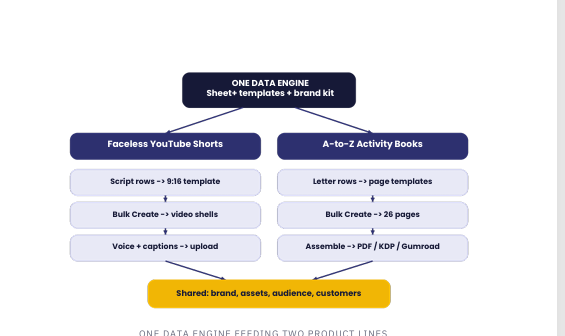
1. Generate content ideas more efficiently
Coming up with fresh ideas for every post, video, and blog can be challenging.
AI assistants can help you brainstorm topics, identify audience questions, prepare content outlines, and develop ideas for different platforms.
You can use these suggestions as a starting point, then refine them using your experience, research, and understanding of your audience.
2. Create visually consistent designs
Canva Pro offers design templates and tools that can help you create social media graphics, presentations, ebooks, worksheets, and other digital assets.
Using consistent colours, fonts, layouts, and brand elements helps your content maintain a recognizable identity.
3. Repurpose one idea across multiple platforms
You do not always need a completely new idea for every platform.
For example, a detailed blog post about productivity can be adapted into a LinkedIn post, a short video script, a carousel, and an email newsletter.
AI can assist with adapting the message, while Canva Pro can help you create the corresponding visuals.
Remember to tailor each version to its platform rather than simply copying the same content everywhere.
4. Build reusable content workflows
Templates and repeatable processes can reduce the amount of work involved in routine tasks.
Once you establish a workflow for a particular content type, you can reuse its structure for future projects.
This is especially useful for creators and businesses that need to publish content regularly.
What Can You Create With an AI-Powered Content Workflow?
The possibilities extend beyond social media posts.
Here are some practical applications for different types of users.
For content creators
Develop video ideas, prepare scripts, design thumbnails, create promotional graphics, and repurpose existing content.
For freelancers
Create client presentations, social media content, branded documents, and marketing materials more systematically.
For digital entrepreneurs
Develop ebooks, downloadable resources, educational materials, promotional assets, and digital product marketing campaigns.
For small businesses
Prepare product announcements, marketing graphics, educational posts, newsletters, and campaign materials.
For educators and trainers
Create presentations, learning resources, worksheets, visual explanations, and downloadable guides.
The best workflow depends on your audience, the type of content you produce, and the tools you already use.
Introducing the AI & Canva Pro Playbook (2026)
Automated Digital Content Creation: The AI & Canva Pro Playbook (2026) is a digital book designed for readers who want to explore the practical intersection of AI-assisted content creation and Canva-based design.
Rather than treating content writing and graphic design as completely separate activities, the playbook focuses on the broader opportunity to bring them together in a more organized process.
It is intended for people who want to learn how AI and design tools can support their content creation activities, whether they are building a personal brand, promoting a business, creating educational resources, or developing digital products.
Why consider this playbook?
- Practical learning: Explore approaches to integrating AI into digital content creation.
- Design-focused thinking: Understand the role Canva Pro can play in turning content ideas into visual assets.
- Workflow improvement: Learn to think in terms of repeatable processes rather than isolated tasks.
- Multiple applications: Consider how these techniques can support blogs, social media, video content, and digital products.
- A 2026 perspective: Explore AI-assisted content creation in the context of today’s evolving digital tools.
The book is a learning resource, not a promise of automatic results. Your outcomes will depend on how you apply the ideas, the tools available to you, and the quality of your final content.
A Simple Example: From One Idea to Multiple Content Assets
Imagine that you run a website about digital productivity.
Your original idea is: How to save time when creating social media content.
Here is one way to turn that idea into a content workflow.
Step 1: Research and plan
Use an AI assistant to brainstorm audience questions, organize key points, and create an outline.
Step 2: Draft the main article
Develop the outline into a useful blog post. Check facts, add relevant examples, and edit the draft to reflect your own expertise.
Step 3: Repurpose the article
Adapt the central ideas into a LinkedIn post, a Facebook update, and a short-form video script.
Step 4: Design the visuals
Use Canva Pro to create a blog graphic, a social media carousel, and a vertical video layout that follow your brand guidelines.
Step 5: Review and publish
Check spelling, factual accuracy, design consistency, accessibility, and platform requirements before publishing.
Step 6: Measure the results
Track meaningful indicators such as website visits, engagement, clicks, and conversions. Use what you learn to improve the next content cycle.
This approach gives you multiple useful assets from one well-developed idea while preserving the need for human judgment and editorial review.
Who Should Read This Book?
This playbook may be a good fit if you are:
- A beginner exploring AI-assisted content creation.
- A blogger who wants to expand content distribution.
- A freelancer who creates digital assets for clients.
- A creator producing regular social media content.
- A small business owner managing marketing independently.
- An entrepreneur exploring ebooks and other digital products.
- A Canva user who wants to incorporate AI into a more structured workflow.
You do not need to be an experienced graphic designer to begin exploring these tools. However, you should be willing to experiment, review your results, and adapt the workflow to your needs.
If you are looking for a fully automated system that guarantees viral content, instant sales, or passive income, this book should not be viewed that way. Effective content still requires relevant ideas, audience understanding, quality control, and consistent execution.
How This Playbook Can Support Your Digital Product Journey
Creating a digital product is only one part of building an online business.
You also need to communicate its value, prepare promotional content, maintain a recognizable brand, and reach the right audience.
AI-assisted workflows can support these activities by helping you develop product descriptions, blog topics, social media campaigns, and visual marketing assets.
Canva Pro can then help you create supporting graphics and promotional designs.
For example, if you publish an ebook, you could create:
- A dedicated landing page explaining the product.
- A blog article addressing the problem your ebook helps readers understand.
- Social media posts highlighting key lessons.
- Short videos introducing practical tips from the topic.
- Promotional graphics for your marketing channels.
- An email sequence for interested readers.
These activities work best when they are connected to a clear strategy. Publishing more content does not automatically generate sales; the content must reach the right people and give them a compelling reason to take action.
Why Choose DigiTechGenAI?
At DigiTechGenAI, our focus is on practical digital solutions, AI-powered workflows, and resources that help people understand and use modern technology.
We aim to make digital tools and concepts more accessible to creators, learners, professionals, and entrepreneurs.
The AI & Canva Pro Playbook is part of our effort to provide resources for people who want to explore more efficient ways to create and distribute digital content.
Whether you are developing your first digital product or improving an existing content process, the goal is to help you make informed use of the tools available to you.
Explore more resources at DigiTechGenAI.com.
Ready to Explore the AI & Canva Pro Playbook?
If you want to develop a more organized approach to digital content creation, explore Automated Digital Content Creation: The AI & Canva Pro Playbook (2026).
Discover how AI-assisted workflows and Canva Pro can fit into your content creation process and help you approach blogs, social media, visual design, and digital products with greater structure.
Choose your preferred platform to explore the book:
- Gumroad: Explore the book on Gumroad
- Amazon Kindle Direct Publishing (KDP): Find the book on Amazon
- Payhip: Explore the book on Payhip
- Super Profile: Explore the book on Super Profile
Choose the platform that works best for you and review the product details before purchasing.
Start building a smarter content creation workflow with DigiTechGenAI.
Visit DigiTechGenAI.com for more digital resources and practical technology insights.
Frequently Asked Questions
1. What is the AI & Canva Pro Playbook?
It is a digital book focused on using AI-assisted approaches and Canva Pro in digital content creation workflows.
2. Do I need Canva Pro to learn about AI-powered content creation?
Not necessarily. You can explore many AI-assisted content workflows without Canva Pro. However, access to particular Canva features may depend on your subscription and the tools available at the time.
3. Can beginners benefit from this book?
The playbook is intended for people interested in improving their digital content creation process, including beginners. Review the product listing for the complete contents and any specific prerequisites.
4. Can AI create all my content automatically?
AI can assist with brainstorming, drafting, and adapting content, but human review remains important. Accuracy, originality, brand consistency, and audience relevance should be checked before publication.
5. Where can I purchase the book?
The book is available through Gumroad, Amazon KDP, Payhip, and Super Profile. Use the links above to visit the relevant product listings.
6. Will using AI and Canva Pro guarantee more sales?
No. These tools can help streamline production, but sales depend on factors such as product quality, audience demand, pricing, distribution, marketing, and customer trust.
.