Contact us : contact@digitechgenai.com


Introduction
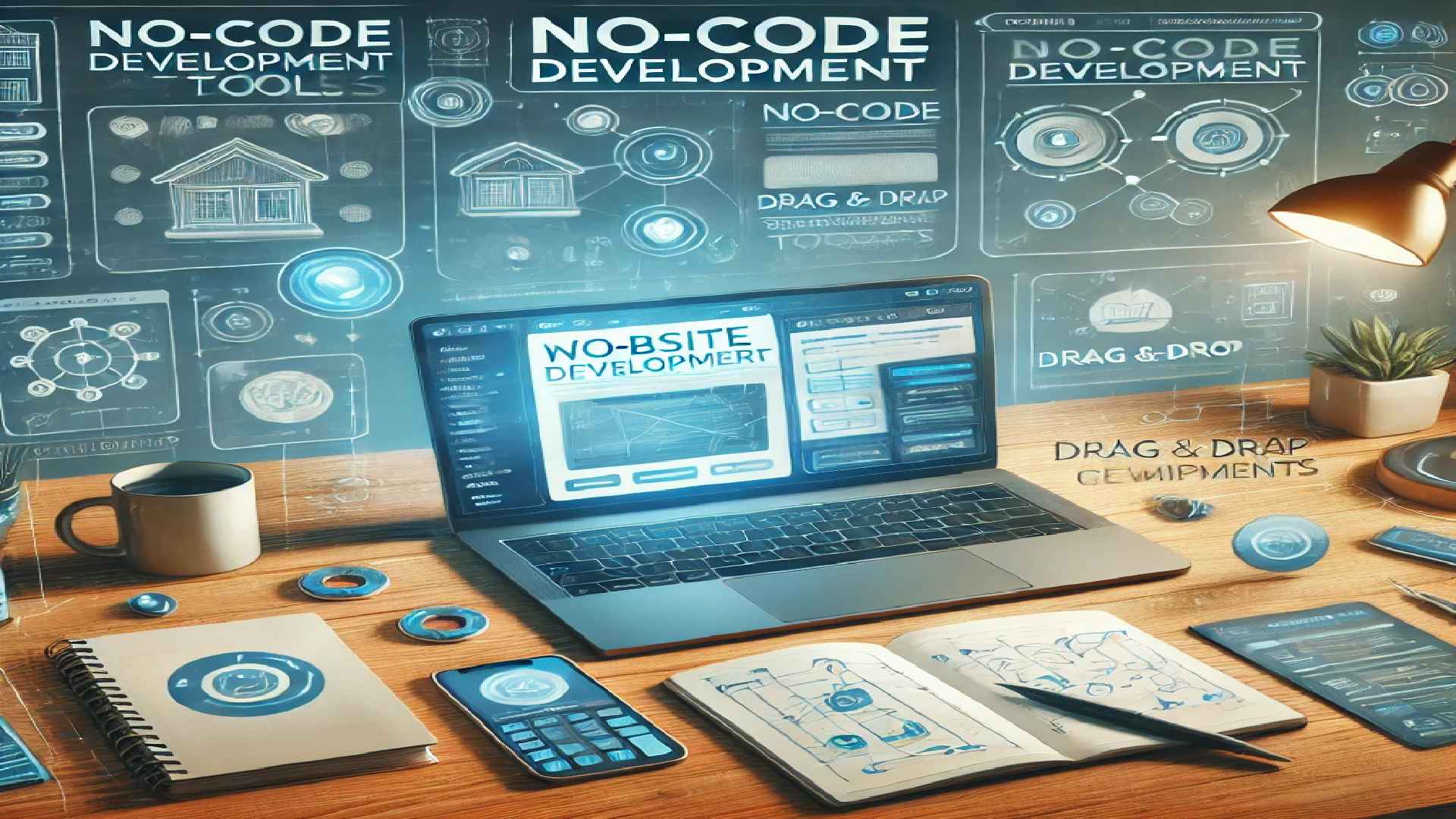
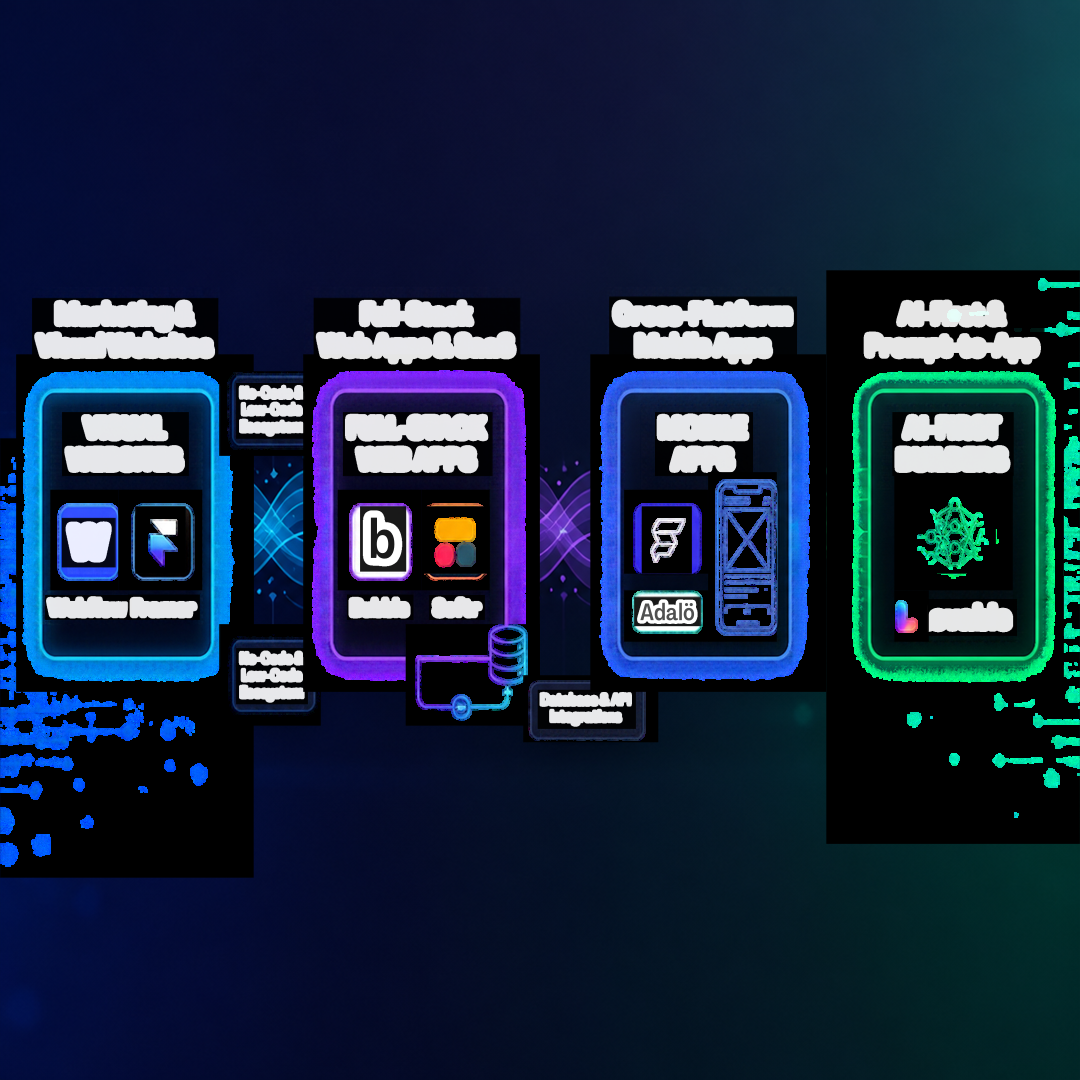
Evaluating the top no-code tools for websites and apps requires understanding your target deployment model. Finding the top no-code tools for websites and apps has become essential for developers, founders, and creators looking to launch digital products quickly. In this guide, we break down the leading platforms across full-stack web applications, native mobile builds, and design-first websites.
Whether you’re a small business owner, startup founder, student, or software engineer, no-code tools can help you bring your ideas to life quickly and affordably. With user-friendly drag-and-drop interfaces, pre-built templates, and powerful automation, these tools empower anyone to develop functional digital products with ease.
Building production-ready software no longer requires writing thousands of lines of boilerplate code from scratch. The no-code landscape has evolved far beyond basic drag-and-drop landing page builders into modular platforms capable of running complex multi-tenant SaaS backends, native mobile interfaces, and AI-orchestrated codebases.
Whether you are an independent founder shipping an MVP, a designer taking full control of production web builds, or an engineering team looking to fast-track internal workflows, choosing the right tool comes down to your core product architecture.
In this article, we’ll explore the best no-code tools available, their features, and how you can use them to build websites and apps in minutes.
Quick Comparison: Top No-Code Builders at a Glance
| Platform | Best For | Learning Curve | Primary Output | Code Export? | Free Tier |
| Webflow | Design-driven CMS & marketing sites | Moderate (CSS Box Model) | Responsive Static/CMS Web | Yes (HTML/CSS on paid plans) | Yes |
| Framer | High-motion landing pages & portfolios | Easy to Moderate | Ultra-fast Interactive Web | No (Hosted platform) | Yes |
| Bubble | Complex database-backed web applications | Steep | Full-stack Web Apps | No (Closed ecosystem) | Yes (Free dev sandbox) |
| FlutterFlow | Native mobile & multi-platform apps | Moderate to Steep | Native iOS, Android & Web | Yes (Clean Flutter/Dart source) | Yes |
| Softr | Client portals, directories & internal tools | Very Easy | Responsive Web Portals | No (Hosted on Airtable/Google Sheets) | Yes |
| WeWeb | Decoupled frontend for external APIs | Moderate | Single Page Applications | Yes (Standard Vue.js code export) | Yes |
| Lovable | Prompt-to-full-stack AI applications | Easy | Complete React + Vite + Supabase apps | Yes (Full GitHub sync & code export) | Free trial / credits |
1. Marketing & Visual Websites
These platforms cater to visual designers, content teams, and growth marketers who demand pixel-level visual fidelity, robust SEO management, and high-performance CDN hosting without maintaining servers.
Webflow
Webflow translates visual styling directly into standard semantic HTML5, CSS3, and JavaScript. Because it adheres strictly to the CSS box model (Flexbox and CSS Grid), it gives you complete design control while generating clean, standards-compliant markup.
- Core Strengths: Granular responsive styling, flexible native CMS for content-heavy sites, custom interactions, and enterprise-grade security.
- Limitations: Steeper learning curve for creators who do not understand CSS fundamentals; e-commerce functionality remains relatively basic for complex inventory setups.
- Vendor Lock-in Risk: Low to Moderate. While advanced CMS logic runs on Webflow’s hosting, paid plans allow you to export clean static HTML, CSS, and asset bundles to host anywhere.
Framer
Framer bridges the gap between design tools like Figma and real-world web publishing. It treats web design like a canvas, letting you publish responsive sites with complex scroll interactions, spring physics animations, and localized variants in minutes.
- Core Strengths: Extremely fast page performance, native Figma paste import, built-in AI layout generation, and rapid iteration speed.
- Limitations: Not designed for transactional databases, user logins, or deep application state management.
- Vendor Lock-in Risk: High. Framer sites must remain hosted on Framer infrastructure.
2. Full-Stack Web Apps & SaaS MVPs
When an idea requires relational databases, user authentication, role-based access control (RBAC), conditional logic, and payment gateways, these platforms provide full application architecture.
Bubble
Bubble is the pioneer of full-stack visual programming. It provides an integrated database, a drag-and-drop visual interface designer, and an extensive workflow engine capable of handling complex computational logic, scheduled background triggers, and API webhooks.
- Core Strengths: Handles end-to-end database schemas, user authentication, and logic without requiring third-party backends; vast plugin ecosystem.
- Limitations: Workload Units (WU) pricing requires careful query optimization to avoid runaway costs at scale; single-threaded client rendering can slow down complex layouts.
- Vendor Lock-in Risk: High. Bubble operates on a proprietary runtime engine; you cannot export the underlying source code to host on your own AWS or GCP infrastructure.
WeWeb + Supabase / Xano
WeWeb is a decoupled, frontend-only visual builder built specifically for engineering-minded teams. Instead of forcing you into a proprietary database, it connects directly to production-grade external backends like Supabase (PostgreSQL), Xano, or your own custom REST/GraphQL endpoints.
- Core Strengths: True separation of frontend and backend layers, sub-millisecond data binding, enterprise security compliance, and zero database lock-in.
- Limitations: Requires an understanding of relational databases and REST API endpoints to set up.
- Vendor Lock-in Risk: Low. WeWeb allows enterprise users to export clean, standard Vue.js single-page applications.
Softr
Softr turns structured spreadsheets and databases—such as Airtable, SmartSuite, and Google Sheets—into functional web applications, partner directories, and client portals.
- Core Strengths: Pre-built authentication, gated content permissions based on user tiers, zero layout hassle, and setup times measured in hours.
- Limitations: Layout flexibility is limited to pre-configured functional blocks; cannot run complex custom data mutations.
- Vendor Lock-in Risk: Very Low. Your data remains completely owned and housed in your primary database (Airtable or Google Sheets).
3. Cross-Platform Native Mobile Apps
If your product must live in the Apple App Store and Google Play Store with access to native hardware features like push notifications, camera sensors, and offline storage, native builders are essential.
FlutterFlow
FlutterFlow builds production applications on top of Google’s Flutter framework. It provides a visual development environment that outputs real, human-readable Flutter and Dart code.
- Core Strengths: Direct integration with Firebase and Supabase, support for custom Dart functions and widgets, smooth 60fps native animations, and one-click App Store deployment pipelines.
- Limitations: Requires understanding state management concepts (app state vs. component state) to build non-trivial apps.
- Vendor Lock-in Risk: Zero. You can sync directly to a GitHub repository, download the complete Flutter source code, and continue development in VS Code.
Adalo
Adalo enables quick mobile app assembly using visual drag-and-drop components, automatically generating apps for iOS, Android, and responsive web.
- Core Strengths: Beginner-friendly layout creation, straightforward database setup, and direct publishing pipelines to mobile app stores.
- Limitations: Complex data queries and extensive lists can suffer from performance degradation on larger user bases.
- Vendor Lock-in Risk: High. Applications are bound to Adalo’s proprietary runtime and hosting engine.
4. AI-First & Prompt-to-App Builders
The latest wave of application development blends natural language generation with production code generation, letting you build full-stack web applications by chatting with an AI agent.
Lovable
Lovable takes conversational prompts, technical wireframes, and design references, generating clean, modular React, Tailwind CSS, and Vite code connected to a real Supabase backend.
- Core Strengths: Generates real code in real time; visual pointing and prompting makes tweaking components intuitive; includes automatic schema migrations and edge function scaffolding.
- Limitations: Complex backend business logic still requires developer review to prevent hallucinated API dependencies.
- Vendor Lock-in Risk: Zero. Everything is pushed directly to your personal GitHub repository as standard, unminified source code.
Frequently Asked Questions
Can no-code platforms handle high-traffic production workloads?
Yes, but architecture matters. Marketing sites built on Webflow or Framer leverage global CDN edge networks and easily scale to millions of monthly visitors. For web applications, platforms using modern decoupled backends (such as Supabase or Xano paired with WeWeb or FlutterFlow) scale just like traditional cloud applications. Monolithic no-code platforms may require performance tuning and database indexing to maintain low latency under heavy traffic.
How do I choose between an all-in-one platform and a decoupled stack?
Choose an all-in-one builder (like Bubble or Softr) if speed-to-market is your main priority and you do not want to manage separate databases or API routes. Choose a decoupled stack (like WeWeb + Supabase or FlutterFlow + Firebase) if you need long-term scalability, data sovereignty, complex microservice integrations, or the ability to export your frontend code.
No Code Tools
No-code tools are platforms that allow users to create websites, apps, and other digital solutions without writing a single line of code. They use drag-and-drop interfaces, pre-built templates, and intuitive design elements to simplify the development process. These tools are perfect for entrepreneurs, marketers, and creatives who want to focus on their ideas rather than the technical complexities of coding.
Benefits of No-Code Tools
- Faster Development: Build websites and apps in hours instead of months.
- Cost-Effective – No need to hire developers or designers.
- User-Friendly: Perfect for beginners with no coding background.
- Scalable: Many platforms support growth with additional integrations and features.
- Flexible: Connect with other tools, automate workflows, and customise functionality.
- Low Maintenance: Automatic updates and built-in security features.
- Rapid Prototyping: Test ideas quickly before committing to full-scale development.
Top No-Code Tools for Building Websites and Apps
1. Webflow: Best for Designers & Startups
Webflow is a powerful no-code platform for designing and launching responsive websites. It combines the flexibility of custom coding with the simplicity of a visual editor.
- Key Features:
- Drag-and-drop interface with full design control.
- Built-in CMS for managing dynamic content.
- SEO-friendly tools to optimise your site for search engines.
- Best For: Entrepreneurs, designers, and businesses needing a highly customisable website.
- Example: A freelance photographer can use Webflow to create a stunning portfolio website with a blog to showcase their work and attract clients.
2. Wix: Best for Small Business Websites
Wix is one of the most user-friendly no-code website builders, offering AI-assisted design, templates, and advanced customisation options.
- Key Features:
- Hundreds of customisable templates.
- AI-powered website builder (Wix ADI).
- Integrated marketing tools (email, SEO, analytics).
- App Market for extended functionality
- E-commerce and payment solutions.
- Best For: Small businesses, freelancers, and individuals looking for a simple website builder.
- Example: A local bakery can build an engaging website with an online ordering system and customer testimonials in a single day.
3. Bubble: Best for Web Apps
Bubble is a no-code tool for building web applications, from simple prototypes to complex SaaS platforms.
- Key Features:
- Visual programming for creating workflows and logic.
- Database integration for storing and managing data.
- Scalable database and logic automation.
- Plugins for adding advanced functionality like payments or maps.
- User authentication and payment processing.
- API integrations for third-party services.
- Hosting and deployment are included.
- Best For: Entrepreneurs, tech startups, and businesses looking to create web applications without coding
- Example: A startup founder can use Bubble to create a marketplace app connecting local artisans with buyers, complete with user accounts and payment processing.
4. Glide: Best for Mobile Apps from Spreadsheets
Glide turns Google Sheets into beautiful, functional apps. It’s ideal for creating simple apps that rely on data.
- Key Features:
- Real-time syncing with Google Sheets.
- Customisable templates for different use cases.
- Easy sharing via web or mobile.
- Pre-built UI components.
- Simple automation and logic workflows.
- Cross-platform compatibility (iOS & Android).
- Best For: Businesses and individuals who want to turn Google Sheets into mobile apps.
- Example: A teacher can use Glide to create an app for tracking student attendance and grades, with data stored in a Google Sheet.
5. Adalo: Best for Mobile App Development
Adalo is a no-code platform specifically designed for building mobile apps. It’s perfect for creating apps with a native look and feel.
- Key Features:
- Drag-and-drop interface for designing app screens.
- Pre-built components for adding features like lists, buttons, and forms.
- Integration with third-party services like Zapier and Stripe.
- Native mobile and web apps.
- User authentication and database integration.
- Payment processing (Stripe integration).
- Pre-built UI components and logic workflows.
- Publish directly to the App Store & Google Play.
- Best For: Entrepreneurs, startups, and businesses creating mobile apps without coding.
- Example: A fitness coach can use Adalo to create a workout app with video tutorials, progress tracking, and a subscription model. OR a restaurant can launch a food ordering app with in-app payments using Adalo.
6. Thunkable: Best for Cross-Platform Mobile Apps
Thunkable allows users to design, test, and publish mobile apps without writing code, offering extensive customisation and integration options.
- Key Features:
- Drag-and-drop interface.
- API integrations and real-time data sync.
- Live app testing on mobile devices.
- AI-powered automation and workflows.
- Offline functionality for enhanced usability.
- Best For: Developers and non-developers looking to build Android and iOS apps without coding
- Example: A teacher can develop an interactive quiz app for students with score tracking and feedback
Comparison Table of No-Code Tools
| Tool | Best For | Key Features |
|---|---|---|
| Webflow | Custom websites | Drag-and-drop builder, CMS, SEO-friendly |
| Wix | Small business sites | AI-powered design, app integrations |
| Bubble | Web apps | Database, API support, complex logic |
| Glide | Mobile apps from sheets | Spreadsheet-to-app conversion, simple automation |
| Adalo | Mobile app development | Drag-and-drop builder, payment integration |
| Thunkable | Cross-platform mobile apps | API support, real-time testing, custom logic |
How to Choose the Right No-Code Tool
- Define Your Needs: Are you building a website or an app?
- Consider Your Budget: Some platforms have free plans, while others require subscriptions.
- Check Integration Options: Ensure the tool works with your existing software.
- Look for Scalability: If your business grows, will the platform support it?
- Assess customisation needs: Some tools allow deeper customisation than others.
- Test the Platform: Most no-code tools offer free trials, so experiment before committing.
Tips for Success with No-Code Tools
- Start Small: Begin with a simple project to familiarise yourself with the platform.
- Use Templates: Most no-code tools offer templates to help you get started quickly.
- Learn the Basics: Take advantage of tutorials and community resources to master the tool.
- Iterate and Improve: Launch your project, gather feedback, and make improvements over time.
To Read more No-Code tools Here
Conclusion
Finding the best fit among these top no-code tools for websites and apps depends on whether you value visual design speed or long-term backend code ownership. No-code tools have revolutionised web and app development, making it possible for anyone to create digital products quickly and affordably. Whether you need a website, web app, or mobile application, platforms like Webflow, Wix, Bubble, Glide, Adalo, and Thunkable provide powerful solutions without requiring coding skills.
If you’re ready to launch your website or app, start exploring these no-code tools today and bring your ideas to life in minutes! 🚀
Reference –
Webflow official site: https://webflow.com/
Flutter documentation / FlutterFlow: https://flutter.dev/
Supabase official site: https://maps.google.com/