Contact us : contact@digitechgenai.com


Introduction
Choosing the right top tools to automate workflows depends on whether your stack requires simple no-code triggers or developer-first code execution
Manually moving data between platforms, hand-keying incident tickets, and monitoring legacy pipelines is a massive waste of high-value engineering and operations time.
Modern workflow automation has evolved from simple “trigger-action” webhooks into a sophisticated landscape of visual orchestrators, code-first developer platforms, enterprise iPaaS, and self-hosted AI-native agents.
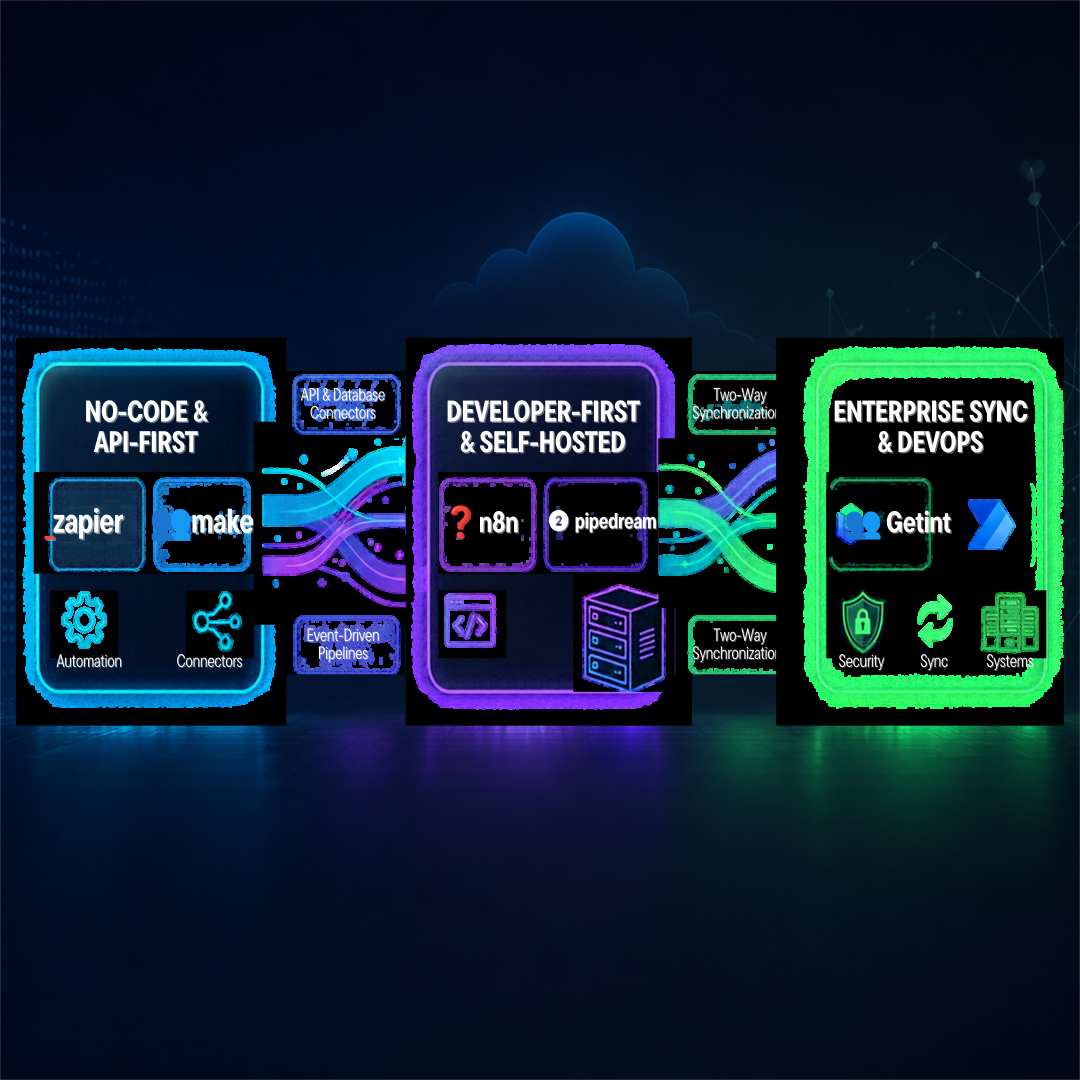
Whether you need a quick no-code connection, a self-hosted pipeline, or deep enterprise-grade application syncs, here are the top tools to automate workflows, grouped by specific technical and architectural use cases.
The Workflow Automation Landscape at a Glance
Below is a side-by-side evaluation of the top tools to automate workflows across pricing, flexibility, and hosting options.
| Platform | Primary Use Case | Target Audience | Key Advantage | Code Export / Hosting |
|---|---|---|---|---|
| Zapier | Fast, no-code SaaS event automation | Non-technical & SMBs | Massive 9,000+ app directory, quick AI orchestration | Cloud-only |
| n8n | Highly flexible, data-secure orchestration | Developers & Ops | Visual node builder, code inserts, self-hostable | Self-hosted or Cloud |
| Make | Complex multi-branch data transformation | Visual builders & Ops | Visual visual debugging, competitive scale pricing | Cloud-only |
| Getint | Enterprise IT, DevOps, and sync | IT Admins & DevOps | Deep, two-way cross-tool syncs (Jira, ServiceNow, GitHub) | Cloud & On-Premises |
| Pipedream | Serverless developer automation | Engineers & DevOps | Write actual Node.js, Python, Go with no server management | Cloud / Managed |
| Microsoft Power Automate | Microsoft 365, Power Apps, & legacy RPA | Enterprise teams | Deep native M365 suite integration and desktop bots | Cloud & Desktop |
| Workato | Enterprise orchestration & cross-dept integration | IT & Enterprise Ops | Governed scaling, massive data handling, deep enterprise connector catalog | Cloud & Hybrid |
1. No-Code & API-First SaaS Automation (The Quick Wins)
When evaluating the top tools to automate workflows for small teams, Zapier and Make offer the fastest time-to-value. If your primary goal is to quickly connect fragmented cloud applications without configuring servers or writing custom integration code, these tools provide high ROI.
Zapier
Zapier remains the most recognizable player in visual automation. It connects over 9,000 applications using simple Trigger -> Action patterns, which now support natural language logic via built-in AI steps and LLM interfaces.
- Best For: Small to medium-sized business automations, non-technical team integrations, and connecting widely used SaaS applications.
- Features: Natural language automation builder, built-in AI Copilot, multi-step triggers, visual path routing, and standard OAuth credential management.
- Pros: Unmatched connector library, effortless visual interface, reliable multi-branch routing.
- Cons: Becomes very expensive at high task volumes; has limited visual custom debugging for complex multi-data transformations.
Make (formerly Integromat)
Make utilizes a highly visual, circle-and-node flowchart interface that allows builders to watch data route, filter, and transform in real time. It offers much more granular logic than basic sequential builders.
- Best For: Complex multi-branch workflows, web scraping, API parsing, and multi-app data pipelines that need visual troubleshooting.
- Features: Router branching, native JSON parsing, iterator and aggregator logic, variable storage, and custom webhook creation.
- Pros: Clear visualization of complex loop workflows, extremely competitive volume-based pricing, and flexible data transform controls.
- Cons: Higher initial visual learning curve than Zapier; requires an understanding of basic arrays, objects, and API parameters.
2. Developer-First & Self-Hosted Orchestration (Full Control)
For engineering teams needing data privacy, the top tools to automate workflows are self-hostable platforms like n8n. Technical teams and DevOps engineers need access to inspect code, self-host instances, track git history, and maintain complete control over where data travels to comply with data privacy policies.
n8n
n8n is a powerful open-source, node-based workflow manager that can be run on your own infrastructure or in n8n’s cloud. It allows developers to drag-and-drop standard steps and write custom JavaScript or Python code directly inside any logic node.
- Best For: Developers, SaaS teams, and privacy-first companies that want to self-host automation to protect confidential customer data.
- Features: Fair-code license (free to self-host), rich built-in visual editor, custom JS/Python nodes, robust AI agent integration, webhook routing, and Git-based version control.
- Pros: Unlimited execution when self-hosted, flexible local file handling, high transparency, and full data sovereignty.
- Cons: Self-hosting requires DevOps maintenance, database management, and scaling resources as tasks grow.
Pipedream
Pipedream is a serverless, developer-focused integration platform where you write actual code (Node.js, Python, Go, Bash) on a visual, step-by-step canvas. It handles authentication, event sources, and execution infrastructure for you.
- Best For: Developers and technical teams who want to code their workflows without managing server infrastructure, cron jobs, or OAuth loops.
- Features: Event trigger management, built-in code editor, npm and PyPI package support, direct REST/HTTP request creation, and visual pipeline logs.
- Pros: Fast developer environment, supports any custom packages, robust error monitoring, and flexible payload inspect tools.
- Cons: Not designed for non-technical users; requires an active coding skill set to inspect, map, and output data.
3. Enterprise IT, DevOps, and Scale Sync (Deep Infrastructure)
In enterprise IT and DevOps environments, the top tools to automate workflows must support two-way sync and strict compliance. Large organisations, IT Administrators, and DevOps teams deal with complex tool fragmentation, demanding enterprise-level governance, on-premises security, and highly resilient cross-system synchronization.
Getint
Unlike generic workflow platforms, Getint is a highly specialized, enterprise-grade integration tool designed for IT departments and DevOps teams needing deep, reliable, two-way syncs between massive issue-tracking and ITSM platforms (e.g., Jira, ServiceNow, GitHub, Azure DevOps, and Salesforce).
- Best For: Large organizations, DevOps teams, and IT Admins that need robust, two-way synchronization between development and operations systems.
- Features: Two-way automated sync, real-time trigger event loops, on-premises or private cloud deployment, field/attachment/comment mapping, and strict version control audit histories.
- Pros: Deep, native support for ITSM and Git tracking; Handles massive enterprise scale without API rate exhaustion; excellent enterprise-grade security and hybrid environment support.
- Cons: Highly focused on DevOps, IT tracking, and incident management; not suitable for lightweight consumer SaaS automation.
Microsoft Power Automate
Deeply embedded within the Microsoft Cloud, Power Automate connects processes across M365, Dynamics, Azure, and on-premises databases, combined with desktop Robotic Process Automation (RPA).
- Best For: Enterprise Microsoft-standardized organizations needing native document approvals, desktop task automation, and strict data governance.
- Features: Out-of-the-box M365 connectors, Power Apps integration, desktop UI clicking (RPA) for legacy apps, AI Builder for document extraction, and enterprise Admin center.
- Pros: Included in many enterprise Microsoft subscriptions; automates desktop software lacking API endpoints; native compliance standard tracking.
- Cons: Interface is heavily enterprise-focused and can feel cluttered; pricing becomes complex if outside base plans.
Frequently Asked Questions
Which workflow automation tool is best for developers?
For developers, n8n is the best visual-yet-code-friendly option because it can be self-hosted, customized with Javascript, and managed via Git. Pipedream is the go-to serverless alternative for teams who prefer writing Node.js, Python, or Go over dragging visual flowchart blocks.
What is the difference between no-code automation and RPA?
No-code automation (like Zapier, Make, and n8n) communicates directly with modern cloud platforms via back-end APIs. Robotic Process Automation (RPA) tools (like UiPath or Microsoft Power Automate Desktop) use software bots to simulate human interactions on an application’s front-end UI—such as navigating menus, clicking buttons, and copying text. Use RPA only when you need to automate legacy desktop or enterprise systems that lack modern APIs.
How do I protect sensitive data when automating workflows?
If you are subject to HIPAA, GDPR, or internal data security mandates, look to self-hosted platforms (like n8n or enterprise-secure hybrid platforms like Getint and Workato) which allow you to run all executions on your own AWS/Azure Virtual Private Clouds (VPC) or on-premises servers without data leaving your perimeter.
Which of the top tools to automate workflows provide the best self-hosting capabilities?
Reference :
Zapier: https://zapier.com
n8n: https://n8n.io/
Some of our dev tools: https://digitechgenai.com/tools/mock-json-generator/